
Cloud8 customers often have reports in different formats that need to be populated with the data available in our reports. The simplest way to do this is through an integration with a Cloud Storage. See below how to perform this extraction in quick steps.
NOTE: The example uses an AWS S3 bucket, but the process is the same for all supported providers.
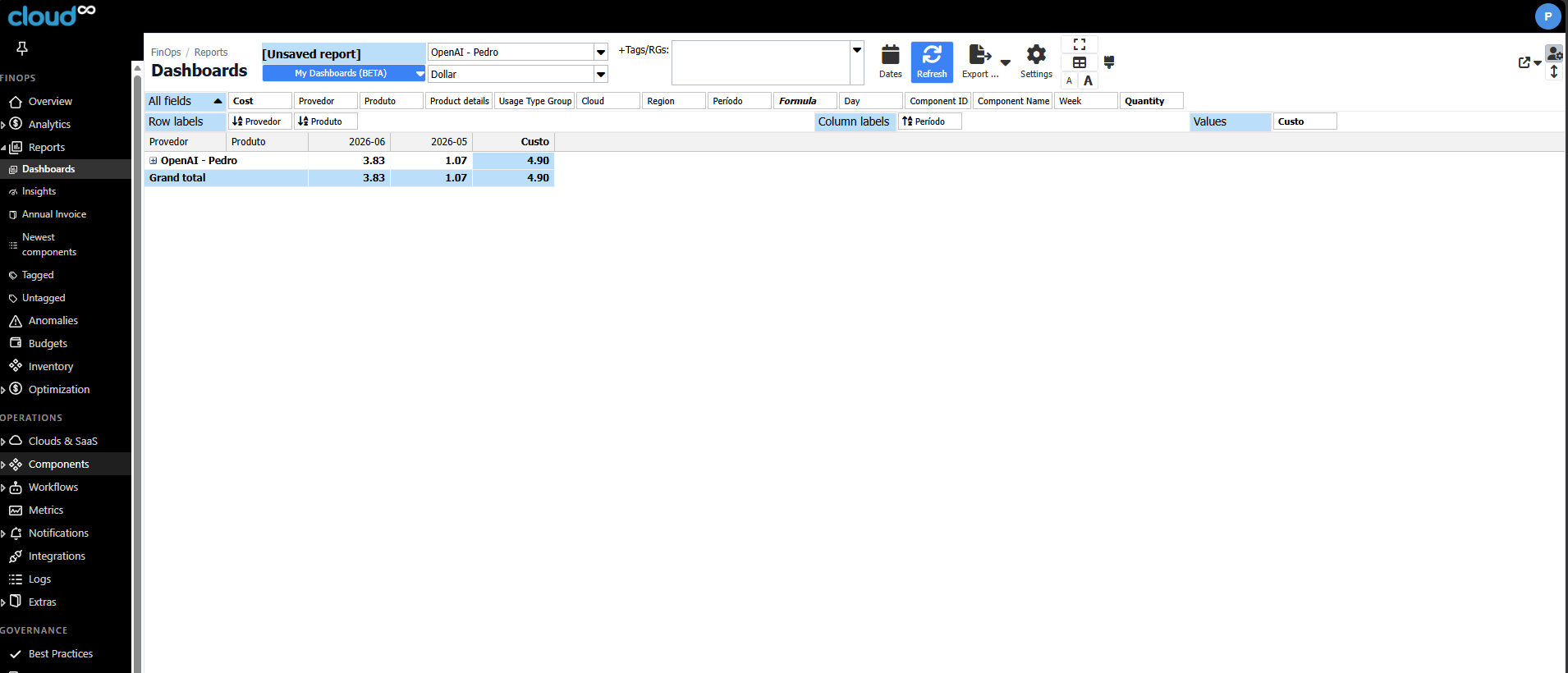
- Click on “FinOps – Reports“, then on “Dashboards” ;
- Select the desired filters;
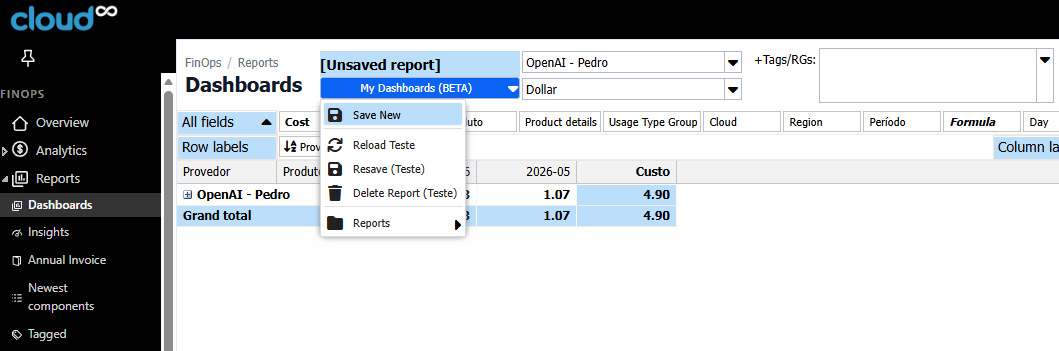
- Use the “My Dashboards” button and select “Save New”;
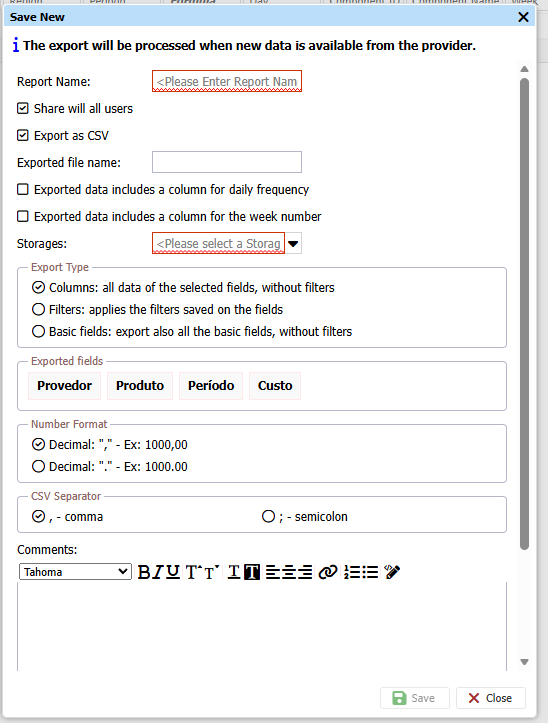
- Among the displayed options, select the integration created in the previous step under Storages, for the chosen provider
- Don’t forget to save
After these two simple steps, the customer will receive a complete and consistent file in CSV format, with the markup defined by them, 2 to 3 times a day containing all the data. This way, no API integration, credential generation, scripts, error handling, etc. are required.
Best Practices #
In “Reports” you can export all data in JSON format. If you choose “Immediately“, we will export whenever a new item enters or leaves the rule. Inside the JSON, there is an “identifier” that can be used to reconcile an item that opened and was later closed (whether because the rule changed or the customer / partner fixed it, and thus it can be used to close automatically).
Inventory #
For Inventory data export, contact Support so we can configure it internally.


